50 Proven Linkedin Hooks That Actually Get Clicks

LinkedIn scroll-stopping hook visual showing the see more button on a mobile device.
You spend 45 minutes writing the perfect LinkedIn post.
You hit publish.
1 hour later…
2 people liked your post, 100 impressions, and one comment from a coworker being polite.
Basically, it did nothing and now you feel bad about wasting those 45 minutes
Your content might actually be great.
The problem is nobody got past the first 2 lines.
Those first 3 lines (your hook) are the only thing standing between you and complete invisibility on LinkedIn. If it does not stop the scroll, nothing else matters.
I put together 50 hook templates organized by type, with notes on why each one pulls people in. Use them as starting points.
Adapt them to your voice. And if you want to stop writing hooks from scratch every single time, I will show you how CannerAI handles that too.
Table of Contents
- What Makes a LinkedIn Hook Work
- 50 Hook Templates Organized by Category
- Story Hooks (1-10)
- Question Hooks (11-20)
- Stat Hooks (21-30)
- Contrarian Hooks (31-40)
- List Hooks (41-50)
- The Formula Behind Every High-Performing Hook
- A Smarter Way to Generate LinkedIn Hooks
- How to Test Which Hooks Work for Your Audience
- One Last Thing
- Frequently Asked Questions
What Makes a LinkedIn Hook Work
Five things. That is it.
It creates an open loop. Your brain hates unfinished stories. A great hook makes the reader feel like they will miss something important if they do not keep reading. That tension is the mechanism.
It speaks to a real feeling. "I wasted 3 years on this mistake" hits different than "Here are some LinkedIn tips." One is about the reader. The other is about you. The best scroll-stopping hooks make people think: that could be me.
It is specific. "5 tools" is fine. "5 tools I open before my 9am standup" is better. Specificity signals that there is something real behind the post, not just filler content.
It is short. Ten words. Twelve max. People decide whether to click "see more" in milliseconds, mostly on mobile. Do not make them work for it.
It breaks the pattern. LinkedIn feeds are full of "Excited to share" and "Thrilled to announce" posts. The fastest way to stop a scroll is to sound like an actual person, not a press release.
50 Hook Templates Organized by Category
Story Hooks (1-10)
We are wired for stories. Start one, and the reader's brain wants to know how it ends. Drop straight into the tension. Skip the setup.
- "3 years ago, I got laid off with no savings and no backup plan. Here's what I did next:"
- "I almost quit [your field] in 2022. Then one conversation changed everything."
- "My first [job/client/post] was a complete disaster. But it taught me the most important lesson of my career."
- "I sent 47 cold emails and got zero replies. Then I changed one thing. The next week, I got 11 responses."
- "Nobody told me starting a [business/career/side project] would feel like this."
- "I used to work 70-hour weeks and call it ambition. I don't do that anymore. Here's why:"
- "Two years ago I had 200 followers on LinkedIn. Today I get job offers in my DMs. Here's the exact thing that changed:"
- "I said no to a $20,000 project last month. It was the best business decision I've ever made."
- "My manager told me I'd never be good enough for a promotion. 6 months later, I left to start my own company."
- "I documented every single day of my job search for 90 days. Here's what actually worked (and what was a complete waste of time):"
Question Hooks (11-20)
A real question forces the reader to think. Once they are thinking, they are reading. The trick is to ask something they have not already resolved in their head.
- "What if the reason you're not getting traction on LinkedIn has nothing to do with your content?"
- "Be honest: when did you last do something on LinkedIn that actually scared you?"
- "Why do some people grow on LinkedIn in 6 months while others post for 3 years and stay stuck?"
- "What would happen to your career if LinkedIn disappeared tomorrow?"
- "Is your LinkedIn profile helping you or quietly hurting you?"
- "When someone reads your LinkedIn headline, do they immediately know why they should care?"
- "Why are the people with the most impressive resumes often the worst at personal branding?"
- "How many great ideas have you had in the last month that never made it into a post?"
- "Have you ever wondered why some LinkedIn posts go viral and others with the exact same information completely flop?"
- "What's stopping you from growing on LinkedIn? Be specific."
Stat Hooks (21-30)
Numbers interrupt the scroll. Our brains treat them differently than words. They signal precision, and precision earns trust before you have said anything else.
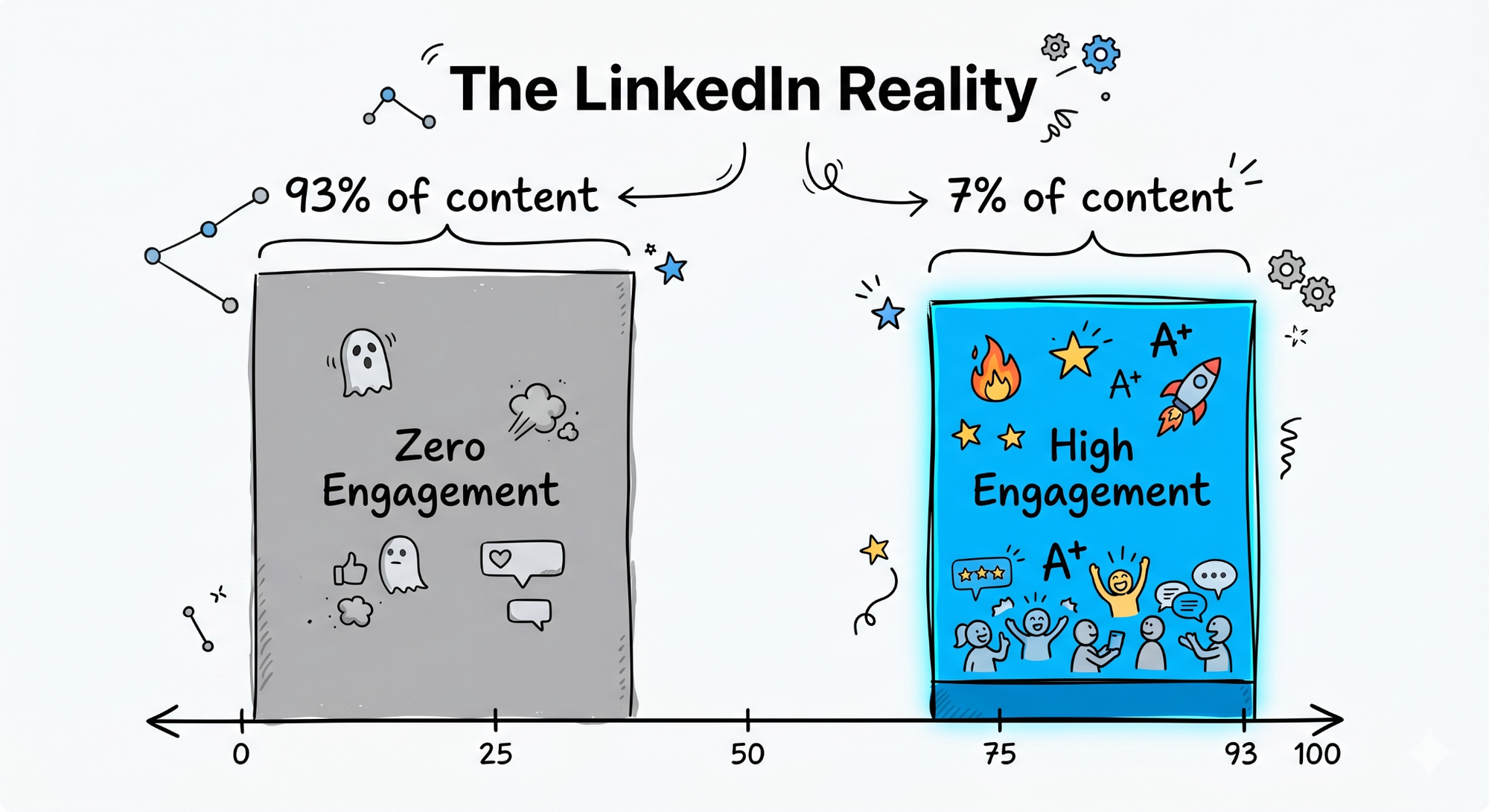
- "93% of LinkedIn content gets zero engagement. Here's how to be in the other 7%:"
- "The average LinkedIn post takes 38 minutes to write. Here's how to cut that to 8 minutes without losing quality."
- "LinkedIn has 1 billion users. Only 1% post content regularly. That gap is your opportunity."
- "I analyzed 200 viral LinkedIn posts this year. They all had one thing in common."
- "4 out of 5 hiring managers check your LinkedIn before your first interview. Here's what they're actually looking for:"
- "I spent $0 on ads and grew to [X] followers in [Y] months. Here's the entire strategy:"
- "The top 10% of LinkedIn creators get 80% of the total reach. Here's what they do differently."
- "People spend an average of 2.5 seconds deciding whether to read your post. Here's how to make those 2.5 seconds count:"
- "My best-performing LinkedIn post got 2.3M impressions. I wrote it in 11 minutes. Here's the formula:"
- "I tracked my LinkedIn activity for 90 days. Only 3 things actually moved the needle."
Contrarian Hooks (31-40)
Go against the popular advice. If everyone is saying one thing, try the opposite and actually mean it. Contrarian hooks generate comments, debates, and reach that safe posts never get. Just make sure you have something real to say when people click through.
- "Posting every day on LinkedIn is actually terrible advice. Here's what I do instead:"
- "Your LinkedIn profile headline is probably costing you opportunities. And the advice you've been given to fix it is wrong."
- "Personal branding is not about being fake. The problem is most people are doing it backwards."
- "Hustle culture ruined my health. Slowing down made me more productive. I know how that sounds."
- "LinkedIn engagement pods are a waste of time. Here's what actually builds real reach:"
- "Following best practices is exactly why your LinkedIn growth has stalled."
- "The most dangerous career advice I ever got was 'just work hard and you'll be noticed.'"
- "More followers will not fix your LinkedIn strategy. In fact, it might be making it worse."
- "I stopped using hashtags on LinkedIn 6 months ago. My reach went up. Here's why that makes sense:"
- "The 'post consistently' advice you keep hearing is only half the truth. The missing half is what actually matters."
List Hooks (41-50)
Lists give the reader a clear contract. They know exactly what they are getting, and that clarity makes clicking "see more" feel worth it. Keep the number manageable. Three to ten works best for most audiences.
- "5 things nobody tells you before you start posting on LinkedIn:"
- "3 LinkedIn mistakes I see smart professionals make every single day:"
- "7 hook formulas that took my posts from 200 to 20,000 impressions:"
- "10 LinkedIn profile tweaks you can make in the next 30 minutes that will actually get you noticed:"
- "4 types of LinkedIn content that consistently outperform everything else (with examples):"
- "6 things I wish I knew before trying to grow on LinkedIn:"
- "The 3 sentences that will transform your LinkedIn about section (most people skip all three):"
- "5 signs your LinkedIn content strategy is broken (and how to fix each one):"
- "8 tools I use every week to create better LinkedIn content in less time:"
- "3 things that changed when I started treating LinkedIn like a business and not a social network:"
The Formula Behind Every High-Performing Hook
Specific detail plus emotional trigger plus open loop.
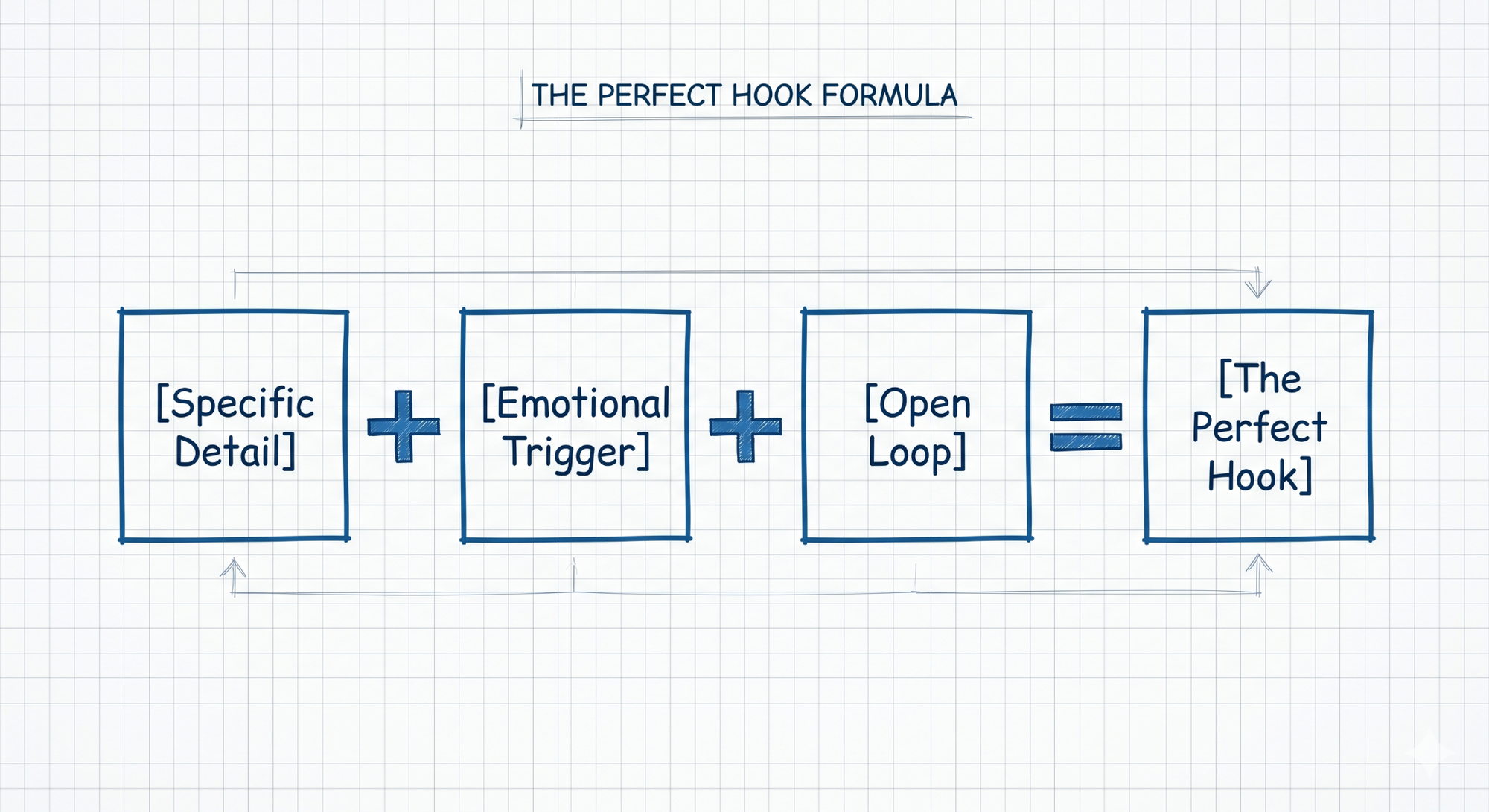
That is it. Three things.
"I got fired. Best thing that ever happened to me." Short, personal, and you immediately want to know what happened. That is an open loop doing its job.
"Most people spend their entire career waiting to feel ready. Here's what I learned from waiting too long." This one works because it taps into a fear almost every professional carries. It does not matter what industry you are in. It lands.
"I sent 200 applications and got 3 callbacks." Specific detail (200 and 3). Emotional trigger (the weight of a difficult job search). Open loop (what did you do?). All three, in one line.
When you write your next hook, run it through that lens before you post. If one of the three is missing, keep editing.
A Smarter Way to Generate LinkedIn Hooks
Writing hooks from scratch every single time is a grind. Especially when you are also researching your topic, writing the full post, formatting it, and figuring out when to publish.
That is the problem CannerAI was built to solve.
CannerAI is an AI content workspace built specifically for LinkedIn and X. The founder, Piyush Sachdeva, built it because he was tired of jumping between five tools just to publish one post: Notion for notes, ChatGPT for drafts, Perplexity for research, Canva for visuals, Buffer for scheduling. CannerAI puts all of that in one place.
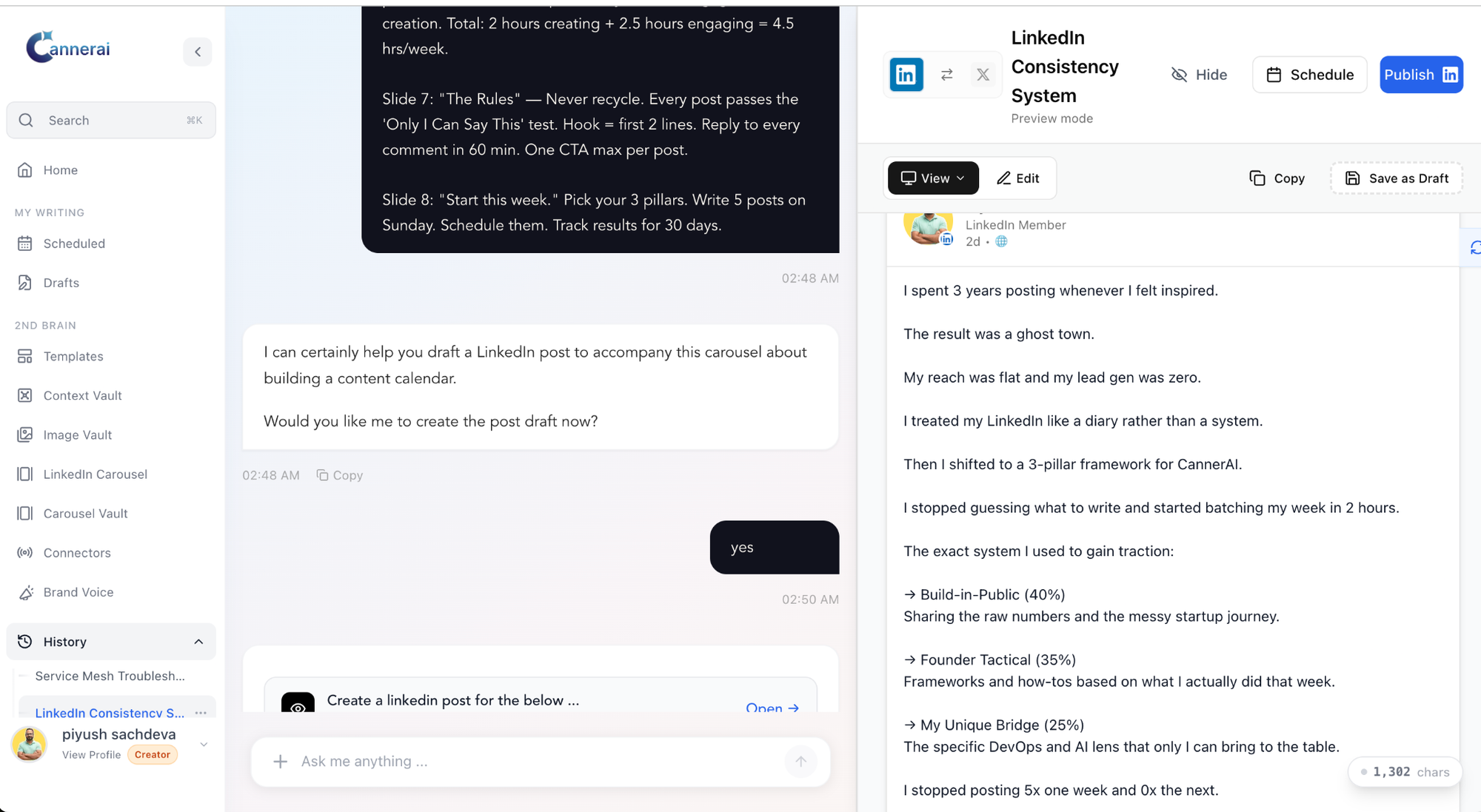
The LinkedIn hook generator inside CannerAI does not just apply popular templates to your topic. It learns your writing style and generates hooks in your actual voice. The output sounds like something you would write, not something an AI clearly produced. On LinkedIn, where readers have gotten very good at spotting generic content, that distinction matters.
You give it a topic or paste in a URL. It researches the content and gives you multiple hook options. You pick one, adjust if you want, and you are starting from a strong first line instead of a blank screen.
For people who already create YouTube content, the Connectors feature automatically drafts LinkedIn posts every time you publish a new video, written in your personal style. No manual repurposing. It just handles it.
Creator plan starts at $49.99/month with a 15-day free trial. Individual plan is $19.99/month with a 7-day trial. Worth trying before you write another hook from scratch.
How to Test Which Hooks Work for Your Audience
Templates give you a starting point. Testing tells you what actually works for your specific audience.
Post two versions of the same content using different hooks, spaced a few weeks apart. Watch what happens in the first hour. That is when LinkedIn's algorithm decides whether your post is worth showing to more people. More "see more" clicks and early comments means the hook did its job.
Go back through your last six months of posts. Find your top three. Look at the first line of each one. Whatever they have in common is your personal hook formula. Use it more deliberately.
Watch comments more than likes. A hook that makes people want to respond, even to disagree, is usually outperforming one that gets quiet approval. Comments carry more weight in LinkedIn's distribution algorithm than likes do.
Test hooks in comments first. Leave your hook as the opening line in a comment on a popular post in your niche. If it gets replies, you have validated it for free before building a full post around it.
Keep a swipe file. Every time a LinkedIn post stops your scroll before you have even read the second line, save it. After a few months, you will have a personal library of proven scroll-stopping hooks from your actual industry. That is worth more than any template list.
One Last Thing
The posts that win in a crowded feed are rarely the most polished or the most researched. They are the ones that made someone feel something in the first two seconds: curious, challenged, a little called out, or genuinely surprised.
The 50 hooks in this post are a starting point. Copy them, adjust them to sound like you, and start paying attention to what lands. That is how you eventually stop needing templates at all.
If you want to skip the blank page and go straight to strong hooks, give CannerAI a try. The free trial is there. No pressure. No credit card required to start.
What is your go-to hook style right now? Drop it in the comments. I am genuinely curious what is working for people.
#LinkedInTips #ContentCreation #PersonalBranding #LinkedInGrowth #ContentMarketing #LinkedInHooks #SocialMediaStrategy #HowToGenerateHooks #ScrollStoppingContent
Frequently Asked Questions
What exactly is a LinkedIn hook and why does it matter?
A LinkedIn hook is the opening 1-3 lines of your post. It is what appears before the "see more" button. Because most people scroll quickly and decide in under three seconds whether to read a post, the hook is the most important line you write. A strong hook stops the scroll and gets people reading. A weak one means even great content goes unseen.
What are the most effective types of LinkedIn hooks for content creation?
The five types that consistently perform well are story hooks, question hooks, stat hooks, contrarian hooks, and list hooks. Story hooks work because we are wired to follow narratives. Question hooks force engagement. Stat hooks signal credibility. Contrarian hooks generate debate. List hooks set clear expectations. Each of the 50 templates in this post belongs to one of these five categories.
How do I generate LinkedIn hooks quickly without starting from scratch every time?
Use a LinkedIn hook generator like CannerAI. You drop in a topic or URL, and it generates multiple hook options in your personal writing style. It is not a generic template machine. It learns how you write and produces hooks that sound like you. That saves the 20 minutes of staring at a blank screen that most people spend before every post.
How long should my LinkedIn hook be for best results?
Keep it under 12 words if possible. LinkedIn cuts off post previews quickly, especially on mobile. Short, direct hooks make the "see more" decision easy. If your opening line runs long, the most compelling part might get cut off before the reader ever sees it.
Can contrarian hooks hurt my personal brand on LinkedIn?
Only if you are being contrarian just for attention without anything real to say. When your contrarian hook is backed by a genuine perspective and real experience, it builds credibility rather than damaging it. People respect someone who challenges consensus as long as they deliver something worth reading when they click through.
What is CannerAI and how does it help with LinkedIn content creation?
CannerAI is an AI-powered content workspace built specifically for LinkedIn and X. It handles the entire content creation workflow: hook generation, full post writing, scheduling, publishing, and analytics. Its hook generator learns your personal writing style so the output sounds like you. It also includes a Connectors feature that automatically turns your YouTube videos into LinkedIn posts. Plans start at $19.99/month with a free trial.
How do I know which hook type works best for my specific LinkedIn audience?
Test consistently over time. Post two versions of similar content with different hook types, spaced a few weeks apart, and track early engagement (first 60 minutes). Look at your existing top-performing posts and find patterns in their opening lines. That combination of past data and ongoing testing tells you more than any general advice can.
Should I use the same hook style for every LinkedIn post?
No. Variety keeps your content from feeling formulaic. But you should have one or two default hook styles that you know consistently perform well with your audience, and lean on those most of the time. Test new styles occasionally so you are always learning what resonates, but do not randomize completely or you lose the ability to spot patterns.


Member discussion